

Somebody who left in 2019
can still open your back door.
Not out of malice — nobody collected the key, or there was a copy cut years ago that never came back. A key cannot be switched off, cannot be traced, and does not tell you it was used. For most buildings that is the honest position, and nobody has ever written it down.
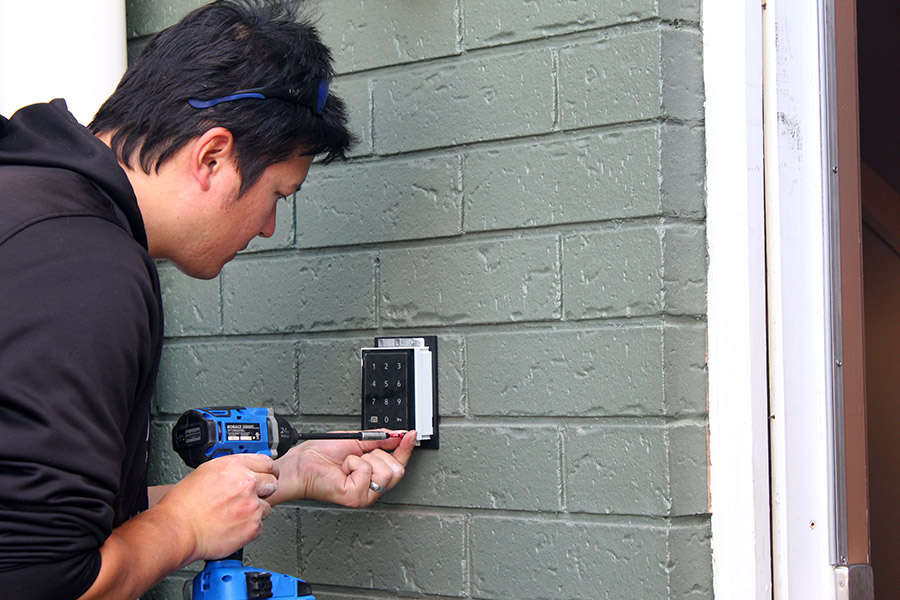
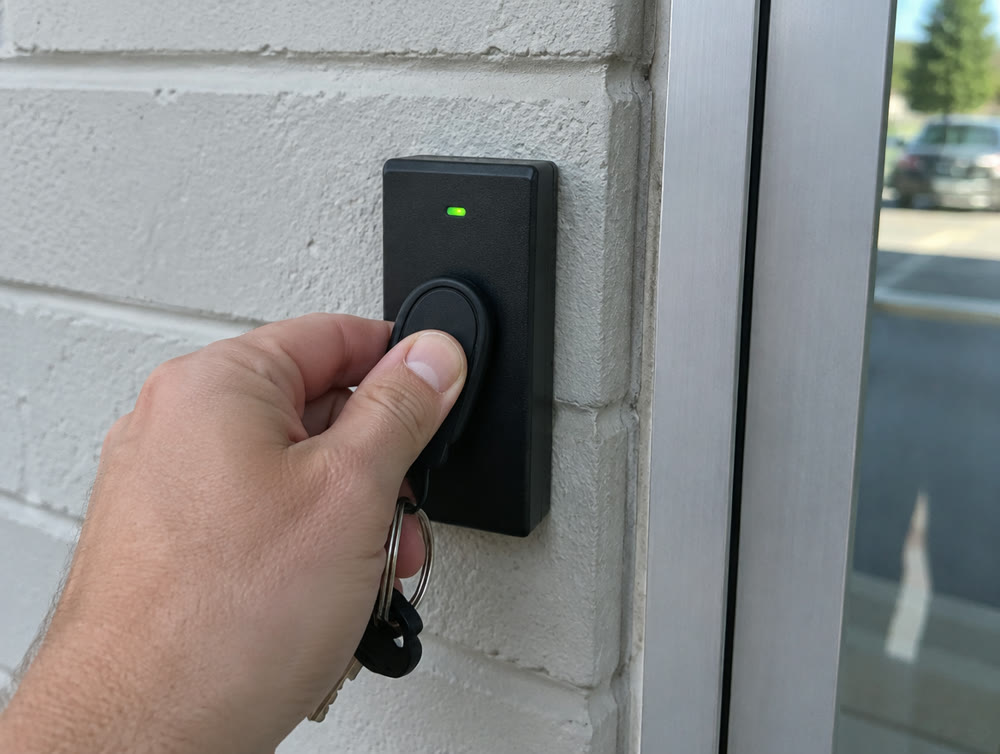
A key cannot be revoked, and you do not know how many exist
Every building accumulates them. One cut for the cleaner in 2014. One for a contractor who needed the place for two weeks. One a manager had copied at a hardware store because it was easier than asking. None of that was unreasonable at the time, and none of it is written down anywhere.
The result is a question most businesses cannot answer: who can get into this building tonight? Not who is supposed to — who actually can. And the only way to change the answer is to re-key every lock and hand out new keys to everybody, which is why it almost never happens.
The cost of it is not usually a break-in. It is an insurer asking who had access to the records room. It is a dispute between two members of staff about who was in the building on a Saturday. It is an argument you cannot settle, because the lock was not forced and there is nothing else to go on.
Switched off before they reach the parking lot
Somebody leaves on a Friday afternoon. Nobody drives to the building and nobody calls a locksmith. Whoever runs the system opens the app on a phone or a laptop, finds the name, and switches that person off. It takes a couple of minutes. Honestly, it takes longer to log in than to do it.
We set it up so you can do this yourself, from anywhere, and we show you how before we leave. If you would rather not, call the help desk and we will do it for you.
From then on, the building keeps a record. Every door, every time: who went through, when, and whether the door let them in. Changes to the system are logged too, down to who switched somebody off and when. You can search all of it from the same app.
How far back the record goes depends on how much storage the system has: as little as a week, or two years and more. Nobody reads it for you, including us. It is your record, and it is there the day you need it.
Most people carry a fob. We’ll talk you out of a code.
Once the keys are gone, everybody needs something else to get through the door. Almost every building we do chooses from three.
-
A fob
The easiest for staff and the most common choice. It lives on a keyring, and it belongs to one person, which is what lets the log say who went through the door.
-
A phone
More of our clients are choosing it every year. Staff open the door with an app on the phone they already carry, so there is nothing to hand out or collect. It is easy to set up; the catch is a license, which is a one-time cost.
-
A code
Just as common as a fob, and the one we steer people away from. A code is the least secure of the three, because it can be shared, written on a sticky note or read over somebody’s shoulder.
For visitors and contractors, we recommend a few visitor fobs that are signed out each time. The log then shows that visitor fob 2 opened the stock room at 10:15, and the sign-out sheet shows who had it. That is the difference between a visitor fob and a spare in a drawer.
We do both, and we’ll steer you toward one of them
Biometric access is the part everybody asks about and the part most likely to disappoint, because the two options are not equivalent in a working building.
-
Facial — what we would steer you toward
Nothing has to be touched, so it does not matter what is on anybody’s hands. Current systems also carry spoofing detection, which in plain terms means a photograph held up to the reader will not open the door.
Worth knowing Enrolling people takes longer than handing out fobs. It is a setup cost, not a running one.
-
Fingerprint — and why we are cautious
Fingerprint readers are hit and miss in practice. A dirty reader, dirty fingers, moisture: any of it causes a failure to read, and a door that works four times out of five is a door people prop open.
Worth knowing The businesses most interested in biometrics are often workshops, kitchens and production floors, which is precisely where fingerprint readers struggle most.
Open at eight, locked at six, and every building on one login
Each door can lock and unlock on its own schedule. The front door opens for business hours, the stock room stays locked unless somebody badges in, and weekends can be different again. Nobody has to remember to lock up.
More than one building works the same way. Every site sits under one app and one login, so a manager can see and change all of them from one place. Each building has its own controller, the box that runs its doors, unless the sites are joined by a proper secure connection, and then they can share one.
Joining two buildings so they behave as one is network work, and we do that too. How we connect more than one site →
Locked when the power goes. Open when the alarm sounds.
-
When the power fails
In most cases we set doors to fail secure, so they stay locked when the power goes. People can always get out: exterior doors have to let people leave whatever the lock is doing. How each door behaves depends on the door and its hardware, so it is decided door by door.
-
When the fire alarm sounds
The doors have to release. That tie-in between the doors and the fire system is real work and we do it, alongside the fire alarm company and never inside their panel. It is the point where a cheap installation either gets it wrong or does not know the question applies.
-
Where we stop
We do not touch fire alarm systems; we are not insured for that work. We will pull the cable for one if that is useful while we are in the building. The wiring, yes. The alarm system itself, no. Everything else low voltage in the building, we do.
Done right, it looks like it was always there
Most of the job is done before anyone sees a reader on a wall. All we need from you is how you want it to work: who gets in where, and when.
-
1. We walk the building
Every job starts with a site survey: each door, what is on it now, and where the cable will have to run.
-
2. The wiring
The hardest part of any job. Getting cable to every door it has to reach, secured, and neat enough that you would never notice it.
-
3. Readers and locks
Mounted on your doors. Sometimes that means cutting and drilling, and done properly it looks as if it was always meant to be there.
-
4. Testing
We check every piece of equipment for fit and for function, door by door.
-
5. Set up your way
We program the schedules and permissions you asked for: who gets through which door, and when.
-
6. Showing you how
Before we leave, we train you to add and remove people and make changes yourself. The help desk is there if you would rather call.
You do not have to do the whole building this year
Doors first and cameras in three years is a normal way to buy, and so is the other way round. Both have room to grow, and a system put in now is sized so the next phase adds to it rather than replaces it.
We specify for your building rather than reselling one manufacturer's catalog, which is what makes that possible. The right answer for a two-door office and a four-site operation are not the same system, and pretending otherwise is how people end up replacing everything at the second phase.
Door access tells you who was there, and when. Cameras tell you what happened. Where the two are installed as one system they answer each other directly; where they are separate, the door log still lines up with the footage as long as the clocks are in step, which we check every time we are on site. How we set up cameras →
Questions we get asked
Do we have to replace all our doors?
No. Access control is fitted to the doors you have in almost every case — it is the lock and the reader that change, not the door. Which doors are worth doing first is usually a shorter list than people expect.
Can we make changes ourselves?
Yes, and we train you to before we leave: adding and removing people, changing schedules and who can go where, from an app or a browser, wherever you are. If you would rather not, the help desk will do it for you.
Do you monitor the system for us?
No, and we are not going to imply otherwise. We do not offer a paid monitoring service, and we do not read your door log for you. What we do is set the system up so you can see everything yourself, and check it whenever we are on site.
What happens in a power outage?
In most cases the doors stay locked, and people can always get out. It depends on the door and its hardware, so we decide it door by door. More on power and fire alarms ↑
Can staff use their phones instead of fobs?
Yes. Phone access is easy to set up, and more clients choose it every year. It does carry a license, which is a one-time cost.
Can we add cameras later?
Yes, in either order, and they will work together. How we set up cameras →

Find out who can get in and who should not
Tell us roughly how many doors you have and what you are using now. We will walk the building, tell you which doors are worth doing and which are not, and what it would take — including the one everybody forgets, the door that has to release when the fire alarm sounds.
Door access tells you who. Cameras tell you what happened →
724-838-7526Thank you — we'll be in touch.
A member of our team will reach out within one business day. If it's urgent, call 724-838-7526 and ask for the help desk.